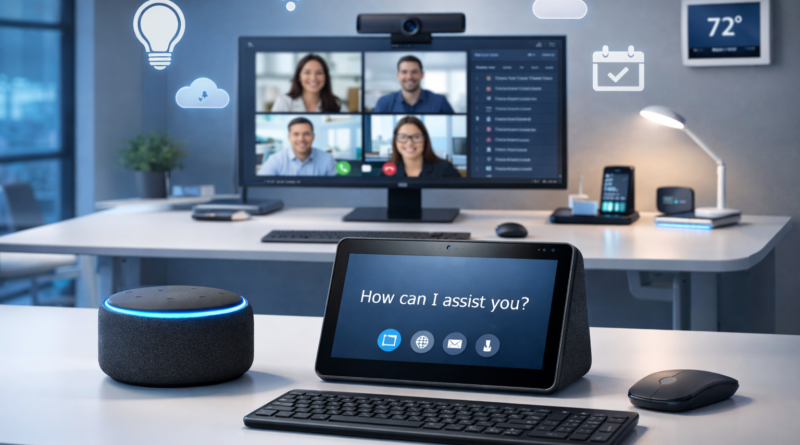
How Voice Assistants and Smart Office Gadgets Boost Real Productivity
Voice assistants and smart office gadgets aren’t futuristic toys. They are practical tools that shave minutes off repetitive tasks, keep teams in sync, and let people focus on work that actually requires human judgment. If you want measurable productivity gains without reinventing your office, this is where to start.
The real power comes from pairing a capable voice assistant for business with the right smart office devices. Together they automate scheduling, control conference room technology, monitor workspace conditions, and reduce friction across daily workflows. Below is a clear, actionable guide that explains which tools matter, how to use them, and how to get measurable returns from smart office solutions.
Why Voice Assistants and Smart Office Gadgets Matter for Productivity
Adopting smart office devices is less about gadgets and more about removing friction. A voice assistant that can book meetings, pull up briefings, or connect you to a conference call means fewer context switches. Smart office gadgets—like smart lighting, IoT meeting-room sensors, and ergonomic office gadgets—cut down interruptions and create a workspace that adapts to how you work.
When teams stop wasting time on manual setups or searching for files, they spend more time creating value. That’s why integrating an AI virtual assistant or a voice assistant for business can be one of the highest-impact office productivity tools you add this year.
Core Features to Look for in Voice Assistants
Choose a voice assistant with business-friendly capabilities. At minimum it should handle calendar management, hands-free call control, short-form task creation, and integration with popular collaboration stacks.
- Natural language calendar management. Say “move my 3 p.m. to tomorrow” and the assistant does it.
- Conference room orchestration. Start video calls, adjust room tech, and display agendas by voice.
- Task capture and follow-up. Record a quick task during a meeting and push it to your project board.
- Cross-device sync. It should work on desktop, mobile, and the office smart speaker or display.
These features make a voice assistant for business more than a novelty. They make it a foundational office automation component.
Smart Office Gadgets That Deliver Immediate Gains
Not every smart device is worth the budget. Prioritize devices with direct productivity outcomes.
- Smart displays and speaker hubs: Centralize meeting controls and voice commands in shared spaces.
- Room booking sensors: Reduce no-shows and double-bookings with real-time occupancy data.
- Conference room technology bundles: Integrated cameras, beamforming microphones, and automatic framing reduce meeting setup time.
- Ergonomic office gadgets: Height-adjustable desks, smart chairs with posture reminders, and keyboard/mouse combos reduce fatigue and preserve focus.
- Smart lighting and HVAC controllers: Lighting tuned to circadian rhythms and temperature control help sustain concentration across long days.
- Document scanners with OCR and cloud hooks: Turn paper into searchable digital assets in seconds.
These smart office devices often pay for themselves by cutting wasted minutes and lowering meeting friction.
How to Integrate Voice and Devices Without Headaches
Good integration is the difference between a toy and a tool. Follow a simple roadmap:
- Start small. Wire one conference room with a voice assistant and test core workflows.
- Standardize services. Use a single calendar system and single identity provider so devices talk to the same accounts.
- Automate common workflows. Example: “Start standup” triggers lights, camera, and meeting notes.
- Measure and iterate. Track time saved on setup, frequency of manual overrides, and employee satisfaction.
The aim is to automate repetitive setup steps so humans can spend more of their time on creative work.
Security and Privacy: Nonnegotiable Considerations
cbe
Smart office devices collect data. That means clear policies and secure defaults.
- Use enterprise-grade authentication and role-based access.
- Segment IoT devices on a separate network to reduce attack surface.
- Choose devices with on-device processing where possible to limit cloud exposure.
- Be transparent with staff about what is recorded and how long it’s retained.
Strong security practices protect productivity gains by preventing costly breaches and downtime.
Measuring ROI: What to Track
To prove the value of smart office solutions, track a few concrete metrics:
- Average meeting setup time before and after deployment.
- Number of scheduling conflicts or no-shows reduced.
- Minutes saved per user per week from automation.
- Employee satisfaction regarding the workspace environment.
- Cost reductions from reduced meeting overruns or less wasted room time.
These high-CPC keywords—office productivity tools, smart office devices, conference room technology—are not just SEO fodder. They point to measurable business outcomes when you track the right data.
Practical Tips for Small Teams and Remote Work
Remote-first teams can still benefit. Use voice assistants integrated with remote work tools to automate standups, push meeting notes to shared doc repositories, and control home-office smart gadgets for ergonomic comfort. For hybrid teams, focus on conference room tech that guarantees parity for remote participants.
Conclusion — Start Small, Think Systemic
Voice assistants and smart office gadgets offer practical wins that add up fast. Start by automating the most annoying, repetitive tasks—meeting setup, room booking, and quick task capture—and expand only after you measure clear benefits. Prioritize secure integrations, invest in a few high-impact smart office devices, and use analytics to prove ROI.
Ready to try one change that delivers immediate impact? Pick a single meeting room and equip it with a voice assistant and a smart conference bundle. Track setup time and user feedback for 30 days, then scale what works. Small experiments like that turn smart office devices into long-term productivity engines.